Real‑time precision
Two‑axis level (pitch/roll) with a large, clear display – so you get perfectly level.
Level your vehicle in seconds: Camprio uses your iPhone sensors and shows you live how to place or adjust blocks – visually, with audio, and super simple.

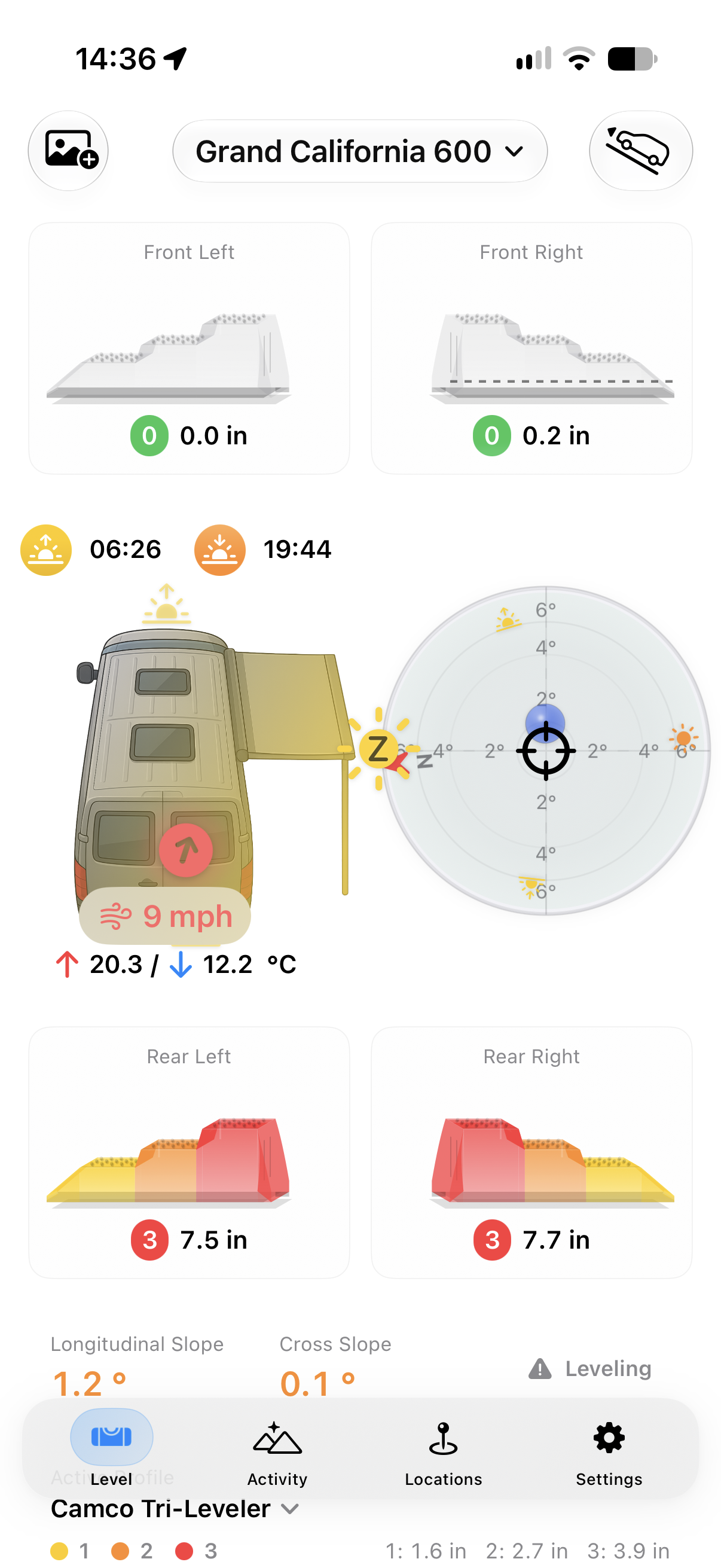
Screenshot of the Camprio app
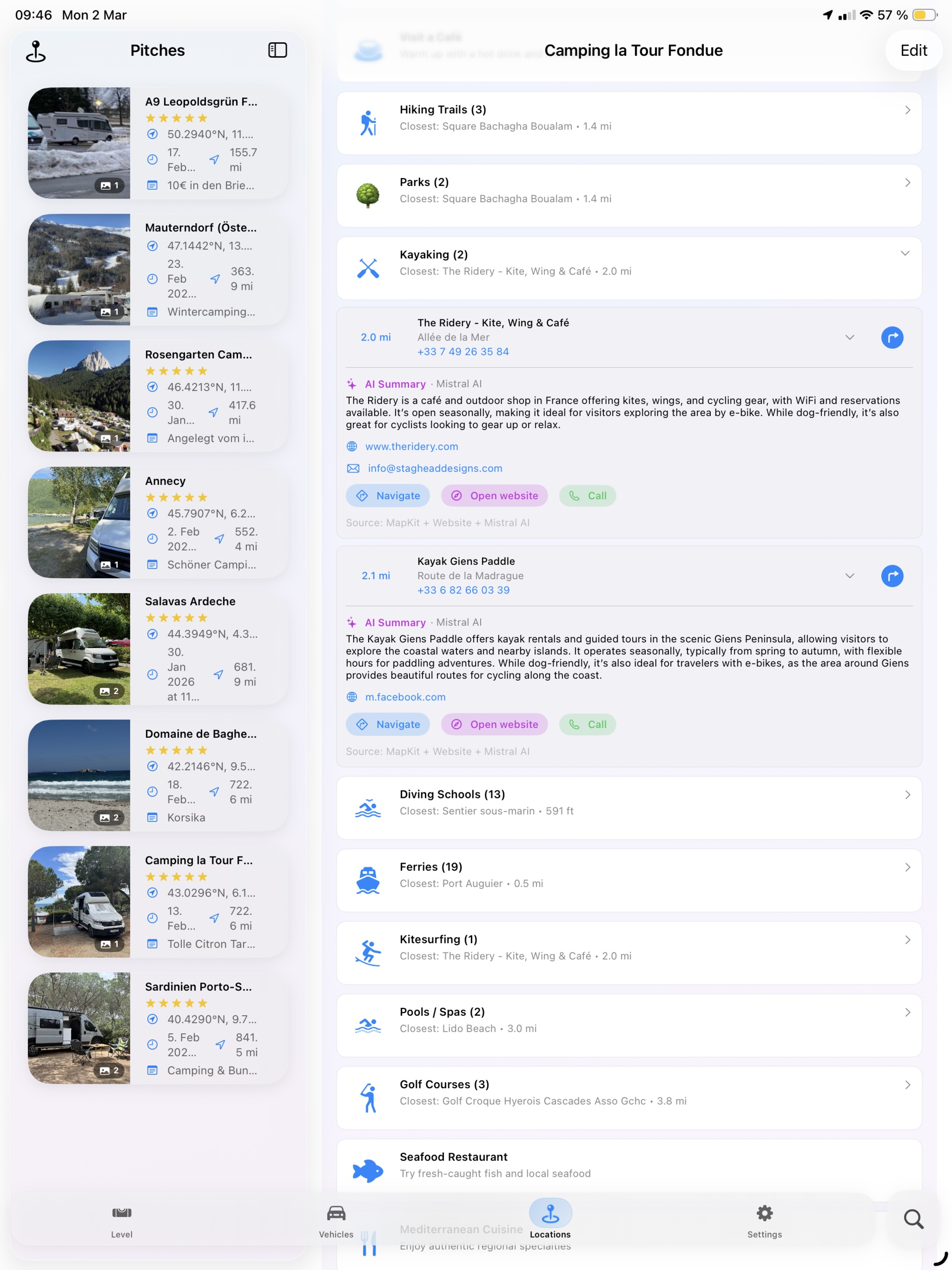
Explore your surroundings with Camprio's recommendations – right when you park, not when you're already back on the road. Save favourite places, discover new spots nearby and start completely relaxed.
Optionally sync your pitch and vehicle data via your private iCloud. That way you'll have them on your iPad, too.
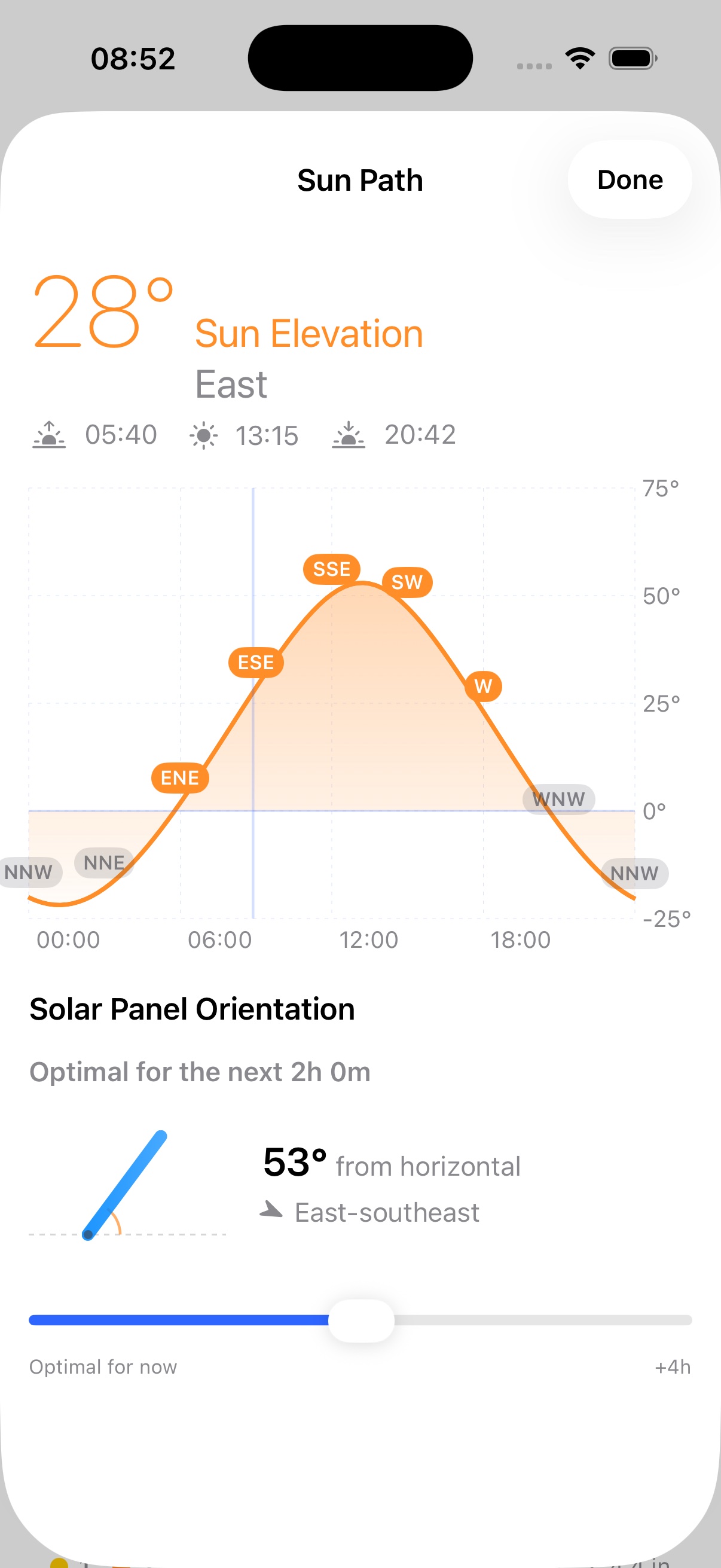
Camprio shows you the sun's path over the day – with sunrise, sunset and the current compass direction. For your solar panel, just drag the slider from "Now" to "+4h" and instantly see the optimal orientation for that time window.
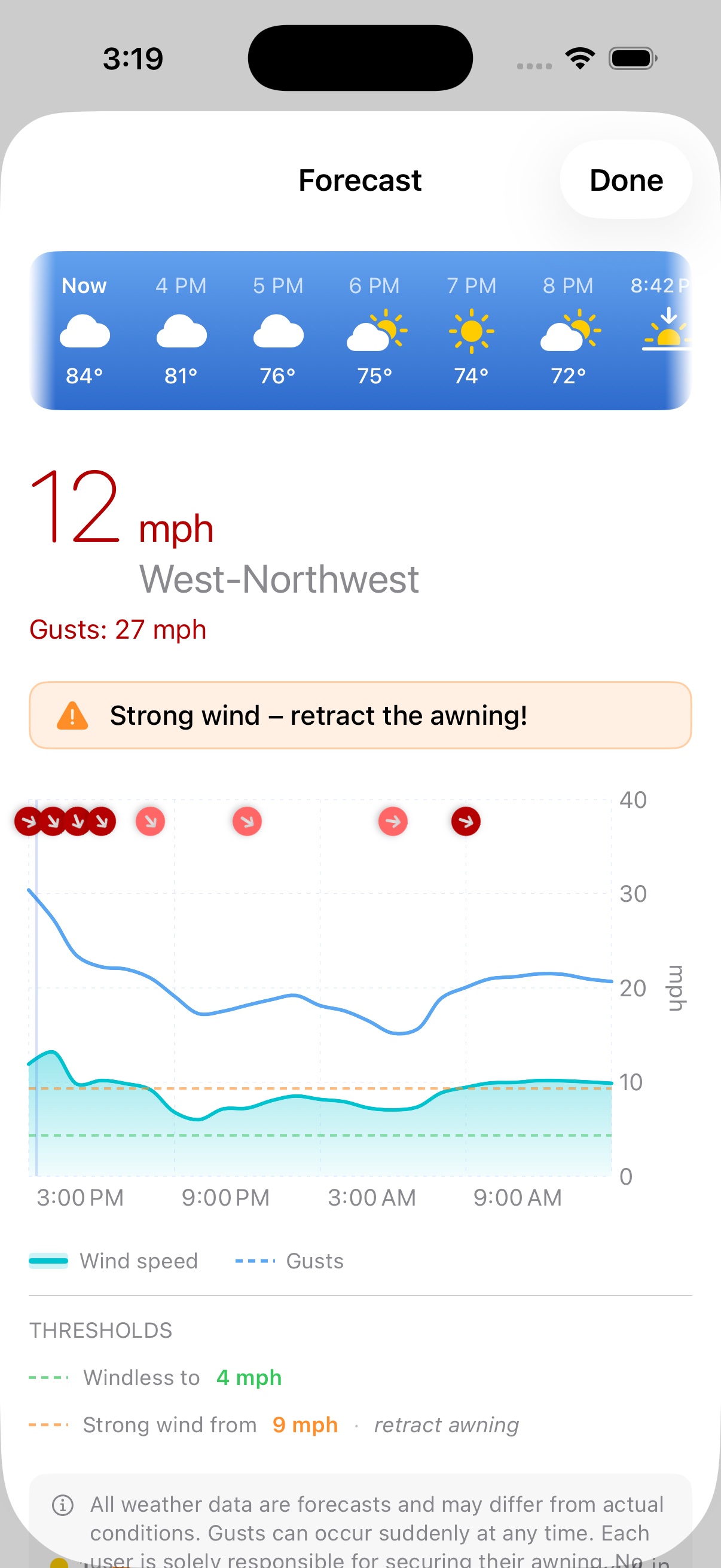
Camprio shows you wind speed, gusts and direction in real time, with an hourly 24-hour forecast. As soon as your personal threshold is reached, the app warns you: time to retract the awning.
Two‑axis level (pitch/roll) with a large, clear display – so you get perfectly level.
Step‑by‑step guidance: Which direction? How far? Camprio leads you to a perfect result.
Save profiles, level settings and tolerances – configure once, enjoy every stop.
Get Camprio and level your van in seconds.
Leveling, vehicle profiles and saved pitches work without internet. The 'Discover the Area' feature and weather/wind forecasts require a connection.
Accuracy depends on device sensors. In practice you get very precise results. Camprio's one-time calibration compensates for sensor tolerances and the camera bump – see the calibration question below for details.
iPhone with iOS 26 or later. Camprio also supports Apple Watch, CarPlay and iPad.
Yes, a one-time calibration per vehicle and placement position is required. Place your iPhone in the direction of travel on your chosen spot; when your vehicle is level, tap the centre of the spirit level. The saved values automatically compensate for sensor tolerances and the camera bump, so the iPhone doesn't need to lie flat.
We process as little data as possible and do not store movement profiles. Profiles and settings stay on your device.
You've just arrived at your pitch and want to know what's nearby, before you leave again. Camprio analyses your location and delivers AI-powered recommendations for restaurants, shops and attractions in the area. An internet connection is required for this feature.
Yes. OpenAI, Anthropic (Claude) and Mistral AI all offer a free tier to get started. Mistral AI provides a test access with fixed rate limits that works well for development and testing. I had good experiences with it while building Camprio.
Yes. You can create as many vehicle profiles as you like, each with its own name, tolerances and calibration. You can also add your own ramp and wedge sizes, so Camprio tells you exactly which level you need for your wedges.
In the leveling view, tap the sun icon next to your vehicle. This opens the sun path chart with sunrise, sunset, and below it the solar panel orientation. Use the slider to pick a time window from "Now" to "+4h" – Camprio instantly calculates the optimal orientation for it.
Swipe left on the pitch in your saved locations list and tap 'Share'. Camprio opens the native iOS share sheet, so you decide exactly where it goes – Messages, Mail, AirDrop, etc. The shared content includes the name, exact coordinates and your notes (if any), so your friend can open it directly in Maps or import it into their own Camprio app with one tap. Since this data is sent as plain text, only share pitches with people you trust, and leave out sensitive notes if you're unsure who might end up reading the message.
Before you drive onto the ramps, Camprio works out the ramp level you need per wheel – say, level 3. Once you actually start driving up, your tilt keeps changing, so a purely live calculation would keep suggesting a different (usually lower) level, even though you still need to reach the originally calculated one. That's why you tap the vehicle icon in the top right before driving up: Camprio freezes the recommended levels' colors – 'level 3' stays displayed even once you're already on level 1. The bubble and a pulsing tone stay live throughout, so you can hear when you're centered without looking at the screen; the icon turns green once you are. Tap it again to turn it off, and Camprio goes back to showing live-calculated levels.
Yes. In the vehicle settings, set 'Ramp Stands Owned' to 2. Camprio then fully corrects whichever tilt is larger – front-to-back or side-to-side – and shows you the remaining, smaller tilt on the other axis, instead of assuming a full 4-point setup.
For reliable CarPlay readings right from launch. As of version 1.7.7, Camprio uses the same "Always Allow" location permission already used for continuous Apple Watch updates. Previously, if the app was launched only via the CarPlay icon without first opening it on the iPhone, the tilt display could alternate between several incorrect values. CarPlay now delivers stable, correct values from the very start.